How QR Codes and NFC Cards Make Google Review Collection Easier
Practical guidance for local businesses on using QR stands, NFC cards, and review links to capture Google reviews at the point of service and improve participation with clear placement, messaging, and follow-up.
Why capturing reviews at the right moment matters
Customers are most likely to leave feedback immediately after a positive experience. Reducing friction — the steps a customer must take to find your review page and submit feedback — increases response rates. Physical review tools like QR stands and NFC cards bring the review action to the customer’s fingertips at the moment it matters: at the table, at checkout, after a treatment, or at the front desk. For local businesses that rely on foot traffic and repeat visits, in-the-moment prompts turn satisfied customers into timely, authentic reviews.
How QR codes simplify the review path
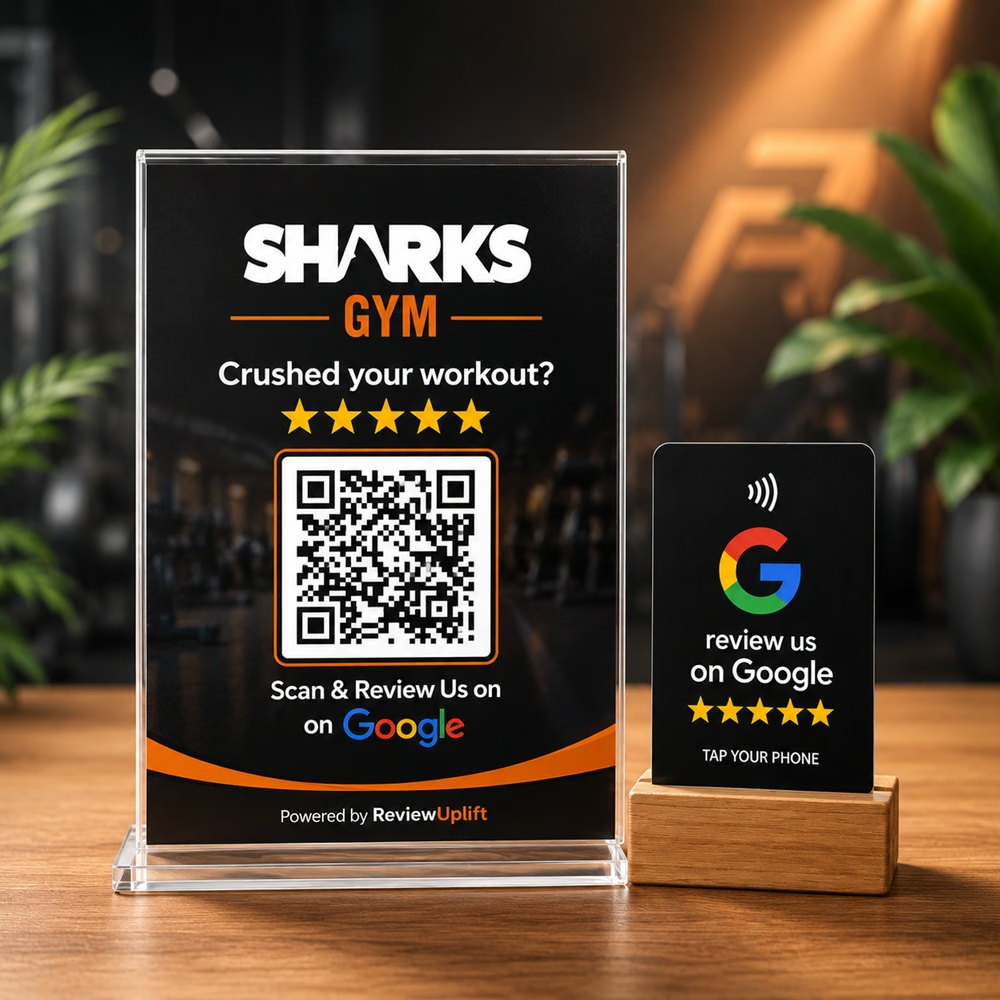
A printed QR code links a customer’s phone directly to your Google review page or a short branded landing page. Scanning eliminates URL entry and search steps, so customers complete the review while the experience is fresh. Best use cases include table tents, receipts, payment counters, appointment reminders, and takeout packages. Design QR placements with clear calls-to-action (for example: “Tap to share feedback”) and ensure codes are large enough, visually contrasted, and placed where scanning is convenient.
How NFC cards speed up submissions with a tap
NFC (near‑field communication) review cards work for customers with NFC‑enabled phones: a simple tap opens the review link without scanning. NFC cards are durable, reusable, and discreet — ideal for counters, concierge desks, or staff wallets. For businesses offering quick services (cafes, salons, clinics), an NFC card at checkout shortens the route to a review form and can be presented as part of the final guest interaction.
Using stands, stickers and cards where they matter
Placement is as important as the technology. Common high-impact locations are the checkout counter, individual tables or treatment rooms, staff handoffs at service completion, and visible spots near exits. Use small stands or stickers near payment terminals, and consider table tents for restaurants and cafes. Keep the message polite and simple: show gratitude, explain how feedback helps, and provide one clear action (scan or tap). Avoid cluttered signage and never pressure customers to leave a specific rating.
Wording, timing and staff prompts that increase participation
Effective messaging is brief, sincere and action-oriented. Suggested structure: thank the customer for their visit, invite them to share a quick review, and show the scan/tap action. Train staff with a short script that feels natural — for example, “If you enjoyed this, a quick review helps others find us; here’s a card you can tap.” Follow-up reminders (SMS or email) can be useful when a customer is unable to leave feedback on the spot, but initial in-person prompts generally produce higher completion rates.
How ReviewUplift’s tools complement physical review prompts
Physical tools work best when paired with an organized review workflow. ReviewUplift provides products such as NFC Business and Review Cards, review stands and stickers, Digital Business Cards, and Review Management Software to capture and manage incoming reviews. Once reviews arrive, Rhea (the SEO Agent) can craft replies in your brand tone while incorporating local SEO, Ari (the Social Agent) converts top reviews into social posts for Instagram and Facebook, and Maya (the AI Marketing Manager/GEO Agent) produces local blog and marketing content to amplify visibility. For example, a restaurant client reported that using the system helped them organize reviews, respond faster, and improve rating consistency — demonstrating how physical capture plus platform follow-up drives measurable reputation benefits.
A short checklist to get started
1) Choose one or two physical tools (QR stand, NFC cards, table tents) to pilot. 2) Create a single, easy review destination — a direct Google review link or a simple branded landing page. 3) Place the tools at checkout, tables, or service-completion points and add a short CTA. 4) Train staff with a one-line script and a polite handoff. 5) Monitor incoming reviews in your ReviewUplift dashboard and use Rhea, Ari and Maya to reply, promote and build local SEO content. Start small, measure response rates, and refine placement and messaging based on what works for your customers.
Customer review


Article by
ReviewUplift
ReviewUplift is an online platform that helps businesses manage and improve their online reputation. In today's digital age, online reviews can make or break a business's reputation, and ReviewUplift aims to provide businesses with the tools and resources they need to stay ahead of the game.